Resources

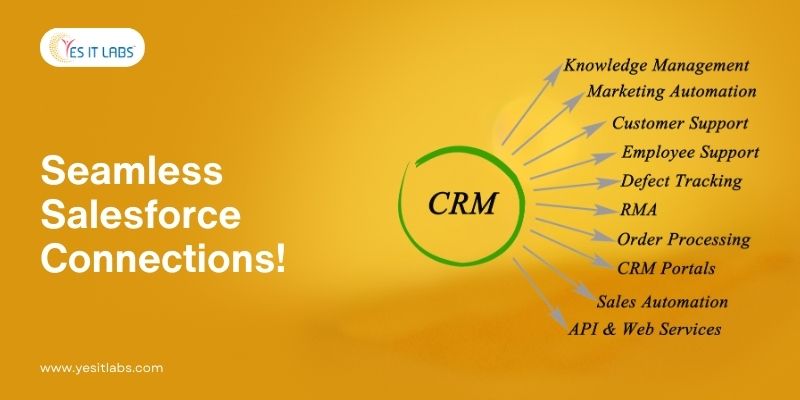
Salesforce, the world’s leading customer relationship management (CRM) platform, plays an essential role in managing customer interactions, sales processes, and communication strategies. However, to unlock its full potential, businesses must integrate Salesforce with other third-party tools—such as marketing automation systems, e-commerce platforms, and project management software—that they use daily.

The process of integrating Salesforce with third-party apps can significantly enhance workflows, automate tasks, and provide richer insights into customer data. In this detailed guide, we will explore everything you need to know about Salesforce integration, covering the benefits, challenges, key considerations, and a step-by-step approach to help developers effectively implement seamless integrations.

1. Understanding the Importance of Salesforce and Third-Party App Integrations

Salesforce has become the go-to CRM for businesses worldwide, helping them manage customer relationships, track sales leads, and improve internal processes. However, as businesses grow and adopt a variety of tools for marketing, e-commerce, customer service, and project management, it becomes essential for Salesforce to work seamlessly with these third-party applications. Integrating Salesforce with these external platforms centralizes business operations, improves collaboration, and enhances customer interactions.

This developer’s guide will cover every aspect of Salesforce integration—from understanding the different integration options available to implementing them successfully. Our goal is to empower you with the knowledge and tools necessary to create high-performance integrations that provide meaningful business value.

2. Key Benefits of Integrating Salesforce with Third-Party Applications

Salesforce is an incredibly powerful tool on its own, but when integrated with third-party applications, it becomes an even more robust solution that meets the complex needs of modern businesses. Here are the main benefits of integrating Salesforce with other systems:

  • Centralized Data Management: Integration ensures that customer data from various tools like marketing, e-commerce, and customer support platforms is synced with Salesforce, giving teams a unified view of all customer interactions.
  • Enhanced Process Automation: By automating repetitive tasks, such as data entry and updating records across platforms, businesses can improve efficiency, save time, and reduce the likelihood of human error.
  • Informed Decision-Making: Having all essential data accessible in one place allows businesses to make better decisions based on real-time insights and comprehensive reports.
  • Improved Customer Experience: Integrations allow customer service, sales, and marketing teams to access detailed customer information, enabling them to provide a more personalized and cohesive experience.

For companies looking to streamline this process, partnering with a salesforce development company can significantly help in navigating the complexities of third-party app integrations.



3. Exploring the Different Types of Salesforce Integrations

When it comes to integrating Salesforce with third-party applications, developers can take several different approaches depending on the complexity of the integration and the business’s specific needs. Understanding these methods will help you select the right approach for each project.

API-Based Integrations

APIs, or Application Programming Interfaces, are one of the most commonly used methods for integrating Salesforce with external systems. APIs allow two or more applications to communicate and exchange data. Salesforce offers REST and SOAP APIs, which developers can use to pull, push, and manipulate data between Salesforce and third-party applications in real time.

AppExchange Integrations for Pre-Built Solutions

Salesforce’s AppExchange marketplace offers a wide variety of pre-built integration solutions for commonly used third-party tools. These out-of-the-box solutions make it easy for developers to integrate Salesforce with platforms like MailChimp, QuickBooks, and Shopify without needing to write complex code from scratch.

Middleware Platforms and Custom Solutions

For more complex integrations, middleware platforms like MuleSoft can serve as an intermediary, helping to facilitate communication between Salesforce and other applications. These platforms often offer pre-built connectors and templates for integration, simplifying the process for developers while offering customization options.

These platforms can be highly useful when implementing salesforce development services for enterprises looking to enhance their systems without compromising on flexibility.

4. Common Business Use Cases for Salesforce Integrations
Salesforce integrations are invaluable for many different business functions, as they streamline workflows, eliminate data silos, and create efficiencies across departments. A few of the most common use cases are listed below:

  • Marketing and CRM Integration: Integrating Salesforce with marketing platforms like HubSpot or Marketo ensures that sales and marketing teams are working with synchronized data, allowing for more targeted campaigns and personalized outreach.
  • E-Commerce and Salesforce Integration: Connecting Salesforce with e-commerce platforms like Shopify or WooCommerce allows businesses to track orders, analyze sales trends, and manage customer data in real-time.
  • Customer Support Integration: By integrating Salesforce with support tools like Zendesk or Freshdesk, customer service teams can access detailed customer information within Salesforce to resolve issues more effectively.
  • Enterprise Resource Planning (ERP) Integration: Integrating Salesforce with ERP systems such as SAP or NetSuite helps businesses achieve better alignment between sales, operations, and finance.

The flexibility of salesforce technologies allows businesses to meet these needs, providing scalable solutions for enterprises of all sizes.

5. Critical Considerations Before Implementing Salesforce Integration

Before beginning the integration process, developers and stakeholders need to evaluate several key factors to ensure a smooth, secure, and scalable implementation.

Ensuring Data Security and Regulatory Compliance

Data security is a top concern in any integration project, especially when customer data is involved. It is important to ensure that any third-party applications comply with Salesforce’s security standards, as well as any relevant regulations, such as GDPR or HIPAA. Developers should implement robust authentication methods and encryption for data transfers.

Planning for Scalability and Flexibility

The integration should be designed with future scalability in mind. As the business grows and its needs evolve, it may require additional integrations or expanded functionality. Planning for flexibility in the integration design will allow for easier adjustments down the road.

Testing for Compatibility and Performance Optimization

Not all third-party apps are fully compatible with Salesforce, and certain integrations can impact system performance. Before launching the integration, ensure that both systems are compatible and that the integration does not negatively affect performance by testing thoroughly in a sandbox environment.

Working with a trusted salesforce CRM solutions provider can help avoid these common pitfalls and optimize the integration process.

6. Tools, Platforms, and Technologies for Successful Salesforce Integrations

To facilitate seamless integrations, developers have access to a variety of tools and platforms that simplify the process and offer robust functionality.

Leveraging Salesforce Connect for Real-Time Data Access

Salesforce Connect allows developers to access external data in real-time without having to store it in Salesforce. It uses the OData protocol, making it ideal for integrating with apps like SAP, SharePoint, and other databases.

Using MuleSoft for Complex Integration Networks

MuleSoft, a Salesforce-owned integration platform, offers an extensive library of connectors, making it easy to connect Salesforce with virtually any app or service. It’s the preferred choice for organizations that require complex integrations across multiple systems.

Streamlining Workflows with Zapier

Zapier is an automation platform that connects Salesforce with over 3,000 apps. While it is more suited for simple integrations, it’s an excellent choice for businesses looking to automate basic workflows and data syncing without needing advanced technical skills.

Building Custom Integrations with Heroku

Heroku is a cloud platform owned by Salesforce that allows developers to build custom applications that can be tightly integrated with Salesforce. It’s a great option for building unique, tailored integrations that require high performance and flexibility. Using salesforce application development tools like Heroku can ensure that these custom solutions are efficient and secure.

7. Step-by-Step Process for Integrating Salesforce with Third-Party Applications

To help you successfully integrate Salesforce with third-party applications, follow this step-by-step process:

Step 1: Clearly Define Business Requirements and Integration Goals

Start by identifying the business requirements for the integration. What specific data should be shared between Salesforce and the third-party application? What tasks need to be automated? A clear understanding of these goals will guide the integration process.

Step 2: Choose the Most Appropriate Integration Method Based on Requirements

Depending on the complexity and scope of the project, select the most appropriate integration method. For simple integrations, AppExchange solutions or Zapier may suffice. For more complex needs, API-based or middleware solutions like MuleSoft will provide the necessary flexibility.

Step 3: Develop Custom APIs or Utilize Pre-Existing APIs for Seamless Integration

If a pre-built solution does not meet the business’s needs, you will need to develop custom APIs or use pre-existing APIs to ensure seamless data transfer. Salesforce offers a variety of APIs, including REST and SOAP, which can be used for this purpose.

Step 4: Conduct Comprehensive Testing in a Controlled Sandbox Environment

Before rolling out the integration in a live environment, conduct thorough testing in a Salesforce sandbox. This allows you to identify any bugs, performance issues, or security vulnerabilities that could impact the system once it goes live.

Step 5: Continuously Monitor, Maintain, and Update the Integration as Needed

Once the integration is live, ongoing monitoring and maintenance are essential. Bugs, updates to the third-party app, or changes in salesforce mobile app development could require modifications to the integration to ensure it continues to function efficiently.

8. Addressing Common Challenges in Salesforce Integration and Practical Solutions

Salesforce integration is not without its challenges. However, being aware of potential issues can help developers proactively address them. Common challenges include:

  • Data Syncing Errors: Data mismatches between Salesforce and third-party applications can cause syncing issues. Ensuring that data formats are compatible between systems can mitigate this problem.
  • Security Vulnerabilities: Weak authentication or data encryption can expose sensitive data during integration. Implementing robust security protocols is critical for safeguarding customer information.
  • Performance Bottlenecks: Complex integrations may affect system performance, causing slowdowns or downtime. Regularly monitoring system resources and optimizing code can help maintain performance.

Engaging experienced hire salesforce developers is often essential to navigating these challenges and ensuring a smooth integration process.

9. Best Practices for Optimizing Salesforce Integrations

To maximize the success of your integration, consider the following best practices:

  • Utilize Native Salesforce Tools: Where possible, use Salesforce’s built-in tools such as Salesforce Connect and AppExchange apps to streamline integrations.
  • Monitor System Performance Regularly: Keep an eye on system performance to detect any bottlenecks or resource usage spikes that could indicate integration issues.
  • Maintain Clean Data: Regularly audit your data to ensure that only relevant, accurate data is being synced across platforms. This helps improve the efficiency of the integration and reduces system overhead.

By following these best practices, businesses can ensure that their Salesforce integrations are efficient, secure, and scalable.

10. Conclusion: Maximizing the Impact and Value of Salesforce Integrations

Salesforce integration with third-party apps offers businesses a powerful way to enhance their operations, automate workflows, and improve decision-making. Whether it’s integrating with marketing tools, e-commerce platforms, or enterprise resource planning systems, the ability to centralize data and streamline processes makes Salesforce an indispensable part of modern business strategies.

The use of salesforce CRM solutions allows organizations to create a seamless, connected ecosystem that provides real-time insights and automated processes, driving productivity and enabling more informed decision-making. Whether you are working with simple or complex integrations, following best practices, leveraging the right tools, and addressing potential challenges will lead to successful implementations that deliver maximum value.

PHP Development Tools

PHP continues to be one of the most popular and robust server-side scripting languages, powering a vast majority of web applications. A successful PHP developer knows that the right tools can drastically improve both productivity and the quality of code. Below, we explore some of the top PHP development tools that can enhance your efficiency, focusing on features and insights that are particularly valuable to advanced developers.

1. Eclipse

Type: Integrated Development Environment (IDE)

Key Features:

  • Robust code editor with smart syntax highlighting and code folding.
  • Built-in Git support, powerful code refactoring tools, and integrated testing tools.
  • Extensive plugin ecosystem, including the PHP Development Tools (PDT) plugin for full PHP support.
  • Supports profiling and performance testing through extensions like Xdebug.

Advanced Insights: Eclipse, while traditionally known for Java development, is highly extensible and can be transformed into a powerful PHP IDE using plugins. PHP Debugger integration via Xdebug and Zend Debugger allows for step-through debugging, which is invaluable for tracking down difficult bugs in large applications. For large enterprise applications, Eclipse’s performance profiling tools help detect bottlenecks and memory leaks early, giving you an edge in optimization.

Pros:

  • Highly customizable, vast plugin ecosystem.
  • Strong integration with other languages and platforms.

Cons:

  • Can be slow and resource-intensive when loaded with too many plugins.

2. Aptana Studio

Type: IDE

Key Features:

  • Built on Eclipse, tailored for web development with extensive support for HTML5, CSS3, JavaScript, and PHP.
  • Support for Node.js, making it useful for backend PHP developers exploring server-side JavaScript.
  • Integrated terminal, Git, and collaboration tools.

Advanced Insights: Aptana Studio is a comprehensive environment for full-stack development that works particularly well for PHP developers who need to integrate front-end and back-end workflows. While it lacks some advanced PHP-specific features, Aptana shines when dealing with multi-language web projects, especially when integrating JavaScript-based frameworks (such as React or Vue.js) with PHP back-ends.

Pros:

  • Cross-language flexibility, strong front-end tool support.

Cons:

  • PHP-specific functionality can feel limited.

3. Zend Studio

Type: IDE

Key Features:

  • Fully-featured PHP development environment designed for both Zend Framework and general PHP development.
  • Advanced tools for code analysis, refactoring, and real-time error detection.
  • Industry-leading debugging with Xdebug and Zend Debugger.

Advanced Insights: Zend Studio is purpose-built for PHP, and its deep integration with Zend Server makes it a go-to IDE for enterprise applications that rely on high-performance, scalable PHP solutions. Zend Studio’s profiling tools help detect slow code paths, while the PHP Unit testing integration allows you to ensure your application is thoroughly tested before release. For developers working in continuous integration (CI) environments, Zend Studio can also seamlessly integrate into CI pipelines, allowing automated testing and deployment.

Pros:

  • Excellent for MVC frameworks (Laravel, Zend).
  • Tight integration with enterprise-grade tools like Zend Server and Oracle databases.

Cons:

  • Paid software with a relatively steep learning curve for those new to enterprise-grade development.

For businesses looking to hire PHP developers, Zend Studio’s combination of deep PHP integration and collaboration features makes it a strong choice, ensuring developers are equipped with the right tools to deliver high-quality code at scale.

4. AWS Cloud9

Type: Cloud-based Development Platform

Key Features:

  • Full-featured cloud-based IDE that supports real-time collaboration, enabling teams to work together from different locations.
  • Integrated with AWS services, making it easy to build, test, and deploy directly from the IDE.
  • Built-in debugging, terminal, and seamless SSH integration to manage remote environments.

Advanced Insights: AWS Cloud9 provides a flexible environment for PHP developers working on cloud-native applications. It allows seamless integration with AWS Lambda, S3, EC2, and RDS, enabling developers to write serverless applications or connect to their virtual servers. For teams working in distributed environments, Cloud9’s real-time collaboration features allow simultaneous coding and troubleshooting, accelerating both development and deployment processes.

Pros:

  • Fully cloud-based, no need for local installation.
  • Scales directly with AWS infrastructure, ideal for DevOps workflows.

Cons:

  • AWS-dependent; full features require a paid AWS account.

For a PHP development company with teams across multiple locations, Cloud9’s collaboration features and AWS integrations make it a valuable tool for managing cloud-based projects with ease and efficiency.


5. PhpED

Type: IDE

Key Features:

  • Advanced code insight and autocomplete with real-time syntax validation.
  • Deep integration with Xdebug for step-by-step debugging and profiling.
  • Seamless integration with widely-used PHP frameworks such as Laravel, Symfony, and Yii.

Advanced Insights: PhpED is a top choice for PHP developers focusing on high-performance applications. The integrated profiler offers detailed insights into memory usage, execution time, and database query performance, helping to optimize both the back-end and database layers. The IDE’s DB client allows developers to interact directly with MySQL, PostgreSQL, and other databases, making database optimization a natural part of the development process.

Pros:

  • Extremely powerful for optimizing large-scale applications.
  • In-depth profiling, helping to spot inefficiencies in both code and database interactions.

Cons:

  • Proprietary and relatively expensive software.

6. CodeLobster

Type: Code Editor

Key Features:

  • Lightweight with quick startup, supporting PHP, HTML, JavaScript, CSS, and MySQL.
  • Free version with plugins for frameworks like Laravel, CodeIgniter, and CakePHP.

Advanced Insights: Although CodeLobster is lightweight and lacks some advanced debugging features, its extensibility through plugins makes it surprisingly robust for MVC-based PHP development. The editor’s autocomplete and real-time code validation enhance productivity for quick development cycles, while support for FTP/SFTP ensures easy deployment to remote servers.

Pros:

  • Free with essential PHP features, fast and responsive.
  • Simple interface, ideal for quick tasks and smaller projects.

Cons:

  • Lacks deep debugging and performance analysis features found in more sophisticated IDEs.

7. PHPDesigner

Type: IDE

Key Features:

  • Comprehensive support for PHP, JavaScript, HTML5, CSS3, and MySQL.
  • Project management features, integrated FTP/SFTP, and remote editing capabilities.
  • Flexible code navigation and context-sensitive help for PHP functions.

Advanced Insights: PHPDesigner excels at managing complex PHP projects with many dependencies. It is particularly effective when managing legacy PHP codebases, thanks to its project management and refactoring tools. Its built-in FTP/SFTP support makes remote server management and deployment efficient, helping advanced developers handle multi-server setups without switching to a different application.

Pros:

  • Well-rounded toolset for full-stack PHP developers.
  • Remote deployment via integrated FTP/SFTP.

Cons:

  • Paid software; some advanced features are locked behind premium versions.

Conclusion

Choosing the right development tool for PHP often depends on the specific needs of your project, team, and infrastructure. High-level developers may find that using a combination of IDEs, editors, and cloud-based solutions provides the most flexibility and productivity. Whether you prioritize cloud scalability with AWS Cloud9, advanced debugging and profiling with PhpED or Zend Studio, or lightweight editing with CodeLobster, the goal is to leverage the tools that allow you to write clean, efficient, and scalable code.

offshore software development in USA

In today’s fast-moving digital world, businesses are quickly embracing digital transformation to stay competitive and relevant. At the core of this transformation is software development, which helps organizations adapt, innovate, and streamline their operations. Offshore software development plays a key role in making digital transformation possible by offering scalable, cost-effective, and specialized solutions.

1. What is Digital Transformation?

A digital transformation involves implementing digital technologies in the operation and delivery of a business. It’s not just about adopting new technology but also about rethinking how businesses run in the digital age. This includes automating processes, improving customer experiences, and using data to make better decisions.

In the USA, businesses of all sizes are going through digital transformation. Whether it’s a startup building new digital tools or a big company automating its processes, software development is a crucial part of this journey. Custom software development services often play a big role in meeting specific needs.

2. Understanding Offshore Software Development

Offshore software development means hiring a team or outsourcing a project to a company in another country. It allows businesses to use global talent and save money while focusing on what they do best. Offshore software development services are popular in countries like India, Ukraine, Vietnam, and the Philippines, where skilled developers are available at lower costs compared to the USA.

For US companies, offshore software development provides a chance to work with top-notch professionals without the added costs of an in-house team.

3. Why US Companies Are Turning to Offshore Development

The demand for offshore software development services has been rising in the USA over the past decade. Several factors drive this trend, including the need for digital solutions, a shortage of local talent, and the cost benefits of outsourcing. Startups, small businesses, and even large corporations are using offshore software development to grow quickly, innovate, and compete on a global scale.

With remote work becoming more common, offshore software development services have become an even more practical solution for speeding up digital transformation. Companies now see that with the right tools and processes, offshore teams can work effectively with in-house teams to deliver high-quality results.

4. Benefits of Offshore Software Development for Digital Transformation

Cost Savings

One major reason companies choose offshore software development is cost savings. In the USA, hiring skilled software developers comes with high salaries and additional costs like benefits and taxes. Offshore development lets businesses access talent at a much lower cost without sacrificing quality.

Access to a Global Talent Pool

Offshore software development services open doors to a large and diverse talent pool. As technology evolves rapidly, businesses need experts in fields like artificial intelligence (AI), blockchain, cloud computing, and data analytics. Offshore software development helps companies find the expertise they need beyond their local job market.

Scalability and Flexibility

Offshore software development companies offer flexible solutions. Whether a business needs a small team for a specific project or a full team for ongoing development, offshore development can scale to fit the needs. It allows companies to adjust their teams based on project requirements without long-term commitments.

Focus on Core Business Activities

Outsourcing software development to offshore software development companies lets businesses concentrate on their main operations, such as marketing, sales, and customer service. Offshore teams handle the technical work, so companies can focus on growing their business.

Faster Time-to-Market

Offshore software development companies often work in different time zones, which can speed up development. By using a 24-hour development cycle, offshore teams can work on projects around the clock, leading to quicker releases and faster time-to-market.

5. Offshore Development Models for Digital Transformation

Choosing the right development model is crucial for successful offshore software development services. Here are three common models:

Project-Based Model

In this model, businesses outsource an entire project to an offshore software development company. The offshore team handles the project based on agreed-upon goals and deadlines. This model is great for one-time projects with clear requirements.

Dedicated Development Team

The dedicated team model involves hiring an offshore software development company that works exclusively for the business. This team becomes an extension of the in-house team and handles long-term projects. It’s ideal for businesses needing ongoing development support.

Staff Augmentation

Staff augmentation means bringing in offshore developers to fill skill gaps in the existing in-house team. These developers work alongside the company’s internal team on various projects. This model is useful for businesses needing extra development resources quickly.

6. Industries That Benefit from Offshore Software Development

Financial Services

Financial institutions use offshore software development services to create secure, scalable systems. From mobile banking apps to automated trading platforms, offshore teams help the financial sector innovate quickly.

Healthcare

In healthcare, digital transformation improves patient care, cuts costs, and enhances data security. Offshore development helps create electronic health records (EHR) systems, telemedicine platforms, and healthcare analytics tools.

E-commerce

With online shopping booming, e-commerce businesses need robust software to manage operations, logistics, and customer experience. Offshore developers build custom mobile apps, platforms, and payment systems that drive e-commerce success.

Manufacturing

Digital transformation in manufacturing involves optimizing supply chains and using IoT-enabled machinery. Offshore teams develop software that integrates with industrial equipment for real-time monitoring and predictive maintenance.

7. Challenges in Offshore Software Development and How to Overcome Them

There are many benefits to offshore software development, but there are also challenges. Here’s how to tackle these challenges:

Communication and Time Zone Differences

Communication and time zone differences can be tricky. To overcome these issues, set up clear communication protocols, use collaboration tools like Slack and Trello, and schedule overlapping work hours for important meetings.

Data Security Concerns

Offshore software development companies can raise data security concerns, especially for sensitive information. Ensure that your offshore partner follows international security standards such as GDPR and HIPAA. Contracts should include strict confidentiality agreements.

Cultural Differences

Cultural differences can lead to misunderstandings. Invest time in understanding the offshore team’s work culture and set up open, respectful communication channels to avoid issues.

8. How Offshore Development Drives Innovation in Digital Transformation

Offshore software development teams often bring fresh ideas and perspectives that drive innovation. Here’s how:

Adoption of Emerging Technologies

Offshore software development companies are usually experts in the latest technologies. Their knowledge allows businesses to try out and implement new tech like AI, blockchain, and cloud computing, which are key for digital transformation.

Agile Methodologies

Most offshore software development services use agile methodologies. This approach helps teams adapt to changing requirements and deliver improvements quickly, ensuring businesses stay responsive to market needs during their digital transformation.

9. Best Practices for Choosing the Right Offshore Development Partner

Finding the right offshore partner is crucial for digital transformation. Follow these best practices:

  • Check Experience and Expertise: Look for offshore software development companies with proven experience in your industry and expertise in the technologies you need.
  • Evaluate Communication Skills: Make sure the offshore team communicates clearly in English and uses collaboration tools for real-time updates.
  • Prioritize Security and Compliance: Ensure the offshore team follows international security standards and is transparent about their security practices.
  • Start Small: Begin with a small project to test the offshore team’s performance before committing to larger projects.

10. The Future of Offshore Software Development in Digital Transformation

The future of offshore software development looks bright as digital transformation continues to drive demand across industries. As businesses increasingly rely on cloud computing, AI, and data-driven solutions, offshore teams will remain vital in delivering innovative, scalable software. Moreover, with remote work becoming the norm, offshore collaboration will become even more seamless, making it easier for companies to integrate global teams into their digital transformation strategies.

Conclusion

Offshore software development services are a key driver of digital transformation, providing businesses with access to global talent, cost savings, and the flexibility to innovate at scale. Partnering with the right offshore software development company can help companies accelerate their digital transformation journey, drive growth, and stay competitive in a rapidly evolving world.

From cost efficiency to agility and innovation, the role of offshore software development in digital transformation is significant. Embracing this approach allows companies to unlock new opportunities and transform their operations for an increasingly digital future.

WordPress is the most popular platform for building websites. It’s loved for its flexibility and ease of use, helping people from bloggers to big businesses create amazing sites. What makes WordPress so powerful is PHP (Hypertext Preprocessor), a programming language that is crucial for WordPress themes.

What is PHP?

PHP stands for Hypertext Preprocessor, and it’s a scripting language used on servers to create dynamic web pages. Unlike static HTML, PHP can interact with databases and handle user requests in real time. This makes it perfect for building interactive and complex websites. In WordPress, PHP is used to handle most of the behind-the-scenes work, from fetching data to creating custom functions.

Without PHP, WordPress wouldn’t be as flexible or powerful. It’s the language that brings WordPress themes to life, enabling them to be more than just static pages.

Why is PHP Important for WordPress Themes?

PHP is essential for WordPress themes because it makes them dynamic. Unlike static HTML, which displays the same content every time, PHP helps WordPress themes show different content based on what’s in the database. This means that a single theme can be used for many pages with different content, like blog posts or product listings.

Here’s why PHP is crucial:

  • Dynamic Content: PHP lets themes pull content from the database. For example, it can display the latest blog posts or user comments without needing separate HTML files for each piece of content.
  • Custom Features: PHP allows developers to add custom functions and features to themes. This can include custom layouts, interactive elements, and integrations with other services.
  • Integration: PHP works well with HTML, CSS, and JavaScript, making it easy to create well-designed, feature-rich themes that work smoothly on various devices.

For those looking to hire a dedicated PHP developer, PHP is what enables the creation of custom, dynamic WordPress themes that meet specific needs.

Understanding WordPress Theme Structure

To appreciate how PHP works in WordPress themes, it helps to understand how a theme is structured. A WordPress theme is made up of several files, each responsible for different parts of the website. These files work together to build the complete look and functionality of a site, with PHP playing a key role.

Here are some key files in a WordPress theme:

  • index.php: This is the main file that displays the homepage or posts.
  • header.php: Contains the code for the header, including the site’s title and navigation menu.
  • footer.php: Manages what appears at the bottom of the page, like copyright information and links.
  • functions.php: Allows developers to add custom functions and features, such as new menus or widgets.

Each of these files includes PHP code that interacts with WordPress to display content dynamically, making themes versatile and adaptable.

How PHP Powers Dynamic Features in WordPress Themes

PHP is what makes WordPress themes dynamic. It connects to the database and retrieves content to display on the site. For instance, PHP can show the latest blog posts, recent comments, or custom content types like products or events. PHP’s ability to work with data dynamically is what allows WordPress themes to display fresh and relevant content without manual updates.

For those looking to hire a WordPress developer, PHP is crucial for implementing dynamic features that make a website interactive and engaging.

Key PHP Functions in WordPress Theme Development

WordPress comes with many built-in PHP functions that simplify theme development. These functions help developers add common features quickly and ensure compatibility with WordPress. Here are some important PHP functions:

  • get_header(): Includes the header template in the theme, ensuring consistency across pages.
  • get_footer(): Includes the footer template, keeping the footer design uniform.
  • the_content(): Displays the main content of a post or page.
  • the_title(): Shows the title of a post or page.
  • wp_enqueue_script() and wp_enqueue_style(): Load external JavaScript and CSS files efficiently, improving performance.

These functions streamline the development process and help maintain a high level of functionality and compatibility.

Customizing WordPress Themes with PHP

PHP offers incredible flexibility for customizing WordPress themes. Developers can use PHP to create unique features, design layouts, and manage content in ways that go beyond what’s possible with static HTML.

Here’s how PHP enhances theme customization:

  • Custom Post Types: Developers can create custom content types, like portfolios or products, to fit specific needs.
  • Custom Page Templates: PHP allows for different page layouts and designs. For example, you can have a unique template for a landing page or contact page.
  • Custom Widgets: PHP enables the creation of widgets that can be added to sidebars or footers, such as search bars or recent posts.

With PHP, developers can create themes that are not only visually appealing but also tailored to the unique needs of the business.

For those seeking PHP web development services, PHP provides the tools needed for creating highly customized and functional WordPress themes.

PHP and Theme Security

Security is a big deal in WordPress theme development. PHP helps keep WordPress themes secure by managing data and user interactions carefully. Secure coding practices are vital to protect websites from attacks.

Here’s how PHP helps with security:

  • Data Validation: PHP can ensure that user input is safe before saving it to the database. This prevents harmful data from causing issues.
  • Sanitization: PHP cleans data before displaying it on the site, stopping attacks like Cross-Site Scripting (XSS).
  • Nonces: These are special tokens that PHP uses to confirm that a request is coming from a legitimate source. They help prevent unauthorized actions.

Securing a WordPress theme with PHP ensures that your website and user data remain safe, building trust with your visitors.

Improving Speed and Performance with PHP

A fast website is crucial for keeping visitors happy and improving search engine rankings. PHP can help make WordPress themes faster and more efficient.

Here’s how PHP contributes to speed and performance:

  • Minimizing Database Queries: PHP can optimize how data is fetched from the database, reducing the load time for pages.
  • Caching: PHP helps with caching, which means storing data temporarily to speed up page load times.
  • Efficient Code: Writing clean and efficient PHP code improves the performance of a theme, reducing server load and speeding up content delivery.

Optimizing a WordPress theme with PHP ensures that your site performs well, providing a better user experience and improving search engine results.

For those in need of custom website development, PHP optimization helps ensure that themes are both fast and efficient.

Challenges of Using PHP in WordPress Development

While PHP is powerful, it comes with challenges. Developers need to stay updated with PHP’s latest versions, as older functions can become obsolete. This requires regular updates to ensure compatibility.

Other challenges include:

  • Performance: Poorly written PHP code can slow down a website and create security issues. It’s important to write clean and optimized code.
  • Debugging: Finding and fixing errors in PHP code can be tricky, especially for beginners. Tools and experience can help overcome these challenges.

Despite these challenges, PHP’s benefits far outweigh the drawbacks, making it an essential part of WordPress theme development.

Why Choose YES IT Labs for Your WordPress Theme Needs

If you’re in the USA and need a custom WordPress theme, YES IT Labs is here to help. Our team specializes in PHP web application development and WordPress website design, creating themes that are both functional and visually appealing.

At YES IT Labs, we offer top-notch PHP development services tailored to your needs. Whether you need a new theme or custom features, we have the expertise to deliver high-quality results. We focus on speed, security, and performance, ensuring your site meets all your expectations.

For those looking to hire a WordPress developer or need expert custom website development, YES IT Labs is the go-to company.

Conclusion

PHP is crucial for developing WordPress themes. It makes themes dynamic, customizable, and secure. For businesses in the USA looking to harness PHP’s power for their WordPress themes, YES IT Labs offers the expertise and support needed to create outstanding results. If you’re ready to hire a dedicated PHP developer or need top-quality WordPress development company services, get in touch with YES IT Labs today.

Mobile Software Development

5G is changing the world of mobile app development in a big way. As this new technology becomes more common, especially in the USA, businesses and developers need to understand how it will affect mobile apps. With faster speeds, better connections, and many more possibilities, 5G will allow mobile software developers to create amazing new experiences.

1. What is 5G And Why Should You Care About it?

5G stands for “fifth generation” in mobile network technology. It’s not just a faster version of 4G—it’s a whole new way for mobile devices to connect. 5G is much faster than 4G, with speeds that can be up to 100 times quicker. It also has very low latency, which means the time it takes for data to travel between devices is much shorter.

In the USA, 5G is quickly becoming available in more cities, and it’s going to change how we use apps on our phones and other devices. For businesses and developers, this means big changes in mobile app development. Mobile software development companies will need to adjust to take advantage of the new features 5G brings.

2. How 5G Will Change Mobile App Development

Let’s look at how 5G will transform the way mobile apps are developed:

Faster Speeds and Better Connections

The biggest benefit of 5G is speed. With 5G, download speeds can reach up to 10 Gbps, which allows apps to handle a lot more data without slowing down. This is especially important for apps that use real-time data, such as gaming apps, video streaming, and hybrid app development.

This faster speed also means that users can download or upload large files much quicker. For developers offering app development services, this opens up opportunities to build better user experiences, with less waiting time and smoother performance.

Low Latency for Real-Time Apps

Data latency refers to the time between when data is sent and when it is received. With 5G, latency is extremely low—about 1 millisecond, compared to 50 milliseconds with 4G. This is very important for apps that need real-time responses, like multiplayer games, IoT devices, or self-driving cars.

For developers, this means they can create apps that feel almost instant in how they respond to users. Imagine a world where video calls don’t lag, online games are completely smooth, and augmented reality (AR) experiences feel real. Mobile software development companies will be at the center of making this a reality.

Improved Streaming with 4K and 8K Video

With 5G, high-quality video streaming will get a huge boost. People will expect to watch videos in 4K or even 8K on their phones without any buffering. This creates new opportunities for video apps, streaming services, and content creators.

For developers, this means they can design apps that offer richer video experiences, knowing that users won’t have to wait for videos to load or worry about poor quality. Businesses offering mobile app development services can now create apps that take advantage of this fast video streaming.

Growth of IoT Apps

The Internet of Things (IoT) connects everyday objects—like smart home devices, cars, and medical equipment—to the internet. With 5G, IoT will become even bigger. Developers will be able to create apps that control and manage many more smart devices at once, with faster, real-time communication between them.

From smart homes to smart cities, mobile apps will play a huge role in connecting everything. Apps will be able to handle more devices, respond faster, and provide better insights, all thanks to 5G. This is where hybrid app development will shine, creating solutions that connect with multiple devices.

5G’s Impact on Cloud and Edge Computing

5G is also going to improve both cloud computing and edge computing. With faster connections, mobile apps can rely more on cloud storage and processing, which means less need for powerful hardware on the device itself. This will allow developers to create apps that perform heavy tasks in the cloud, making them lighter and faster.

Edge computing is when data is processed closer to the user instead of far away in the cloud. This will be much easier with 5G, leading to quicker response times and better app performance.

3. Challenges of Developing for 5G

Even though 5G brings many advantages, there are some challenges developers need to think about:

  • Limited Availability: 5G networks are still being rolled out, so not everyone has access yet. Developers need to make sure their apps also work well on 4G or even 3G networks for users in areas without 5G.
  • Higher Expectations: With 5G, users will expect apps to be faster and more powerful. Developers need to meet these high expectations while ensuring that their apps remain reliable.
  • Security Concerns: With more devices connected to 5G, the risk of cyberattacks increases. Developers must build strong security features into their apps to protect user data.

4. Industries That Will Benefit the Most from 5G Apps

Several industries are likely to benefit greatly from 5G technology:

Healthcare

With 5G, the healthcare industry will see major improvements. Telemedicine, which allows doctors to treat patients remotely, will become even more effective. With low latency and real-time data, doctors can monitor patients, perform diagnostics, and even assist in surgeries from afar. Mobile apps that work with smart medical devices will become more common, offering personalized care.

Gaming

The gaming industry will take off with 5G. Cloud gaming, which allows players to stream games instead of downloading them, will be much smoother with 5G’s fast speeds and low latency. This means gamers can enjoy high-quality, real-time multiplayer games without lag. Developers will have more freedom to create detailed, complex games without worrying about slow connections.

Retail and E-Commerce

Retailers and e-commerce companies will benefit from 5G through new ways to engage customers. With faster speeds, augmented reality (AR) shopping experiences—like trying on clothes virtually—will become more common. Real-time payment processing and inventory tracking will improve, providing a smoother shopping experience for users.

Transportation and Smart Cities

From self-driving cars to smart city infrastructure, 5G will have a huge impact on transportation. Mobile apps that manage traffic, energy usage, and public safety will become more advanced. Developers will play a key role in creating these apps that help cities run more efficiently and make transportation safer.

5. Future Trends in Mobile Software Development with 5G

Here are some exciting trends we can expect to see in mobile software development thanks to 5G:

AI and 5G-Powered Apps

Artificial intelligence (AI) apps will become more powerful with 5G. These apps can process data faster and make smarter decisions in real time. Whether it’s personal assistants, recommendation engines, or smart apps, AI will become more integrated into daily life, powered by 5G’s capabilities.

AR and VR Experiences

Augmented reality (AR) and virtual reality (VR) apps will get a big boost from 5G. With faster connections, users can experience AR and VR without delays, making these technologies more practical and immersive. Developers can create interactive experiences for gaming, education, or training, all with real-time, lifelike graphics.

Improved Mobile Security with 5G

More data and devices connected through 5G will mean a greater need for security. Developers will need to focus on stronger encryption and better authentication methods to protect users’ sensitive information. Mobile security features will evolve as 5G becomes more common.

6. How Developers Can Get Ready for 5G

To prepare for the 5G revolution, developers should start thinking about the following:

  • Use Edge Computing: With 5G, consider using both cloud and edge computing to improve speed and reduce latency for your apps.
  • Prioritize Security: As more devices are connected through 5G, it’s important to build strong security features into your apps from the start.
  • Optimize for Speed: Users will expect fast, seamless experiences. Focus on optimizing your apps’ performance to take full advantage of 5G’s speed and power.

7. Conclusion: The Future of 5G and Mobile App Development

5G is more than just an upgrade to 4G—it’s a transformative technology that will change how we create and use mobile apps. With faster speeds, lower latency, and the ability to handle more devices, 5G will unlock new opportunities for developers to create innovative apps that offer richer, more immersive experiences.

As 5G becomes more available in the USA, businesses and developers must adapt to keep up with the changes. Companies like YES IT Labs, a leading mobile software development company, are ready to help businesses take advantage of this new technology. Whether you’re looking to build IoT, AI or hybrid app development, YES IT Labs can provide the right app development services to turn your ideas into reality.

Contact YES IT Labs today to learn how we can help you succeed in the 5G-powered future of mobile app development.

iphone app development service

In today’s fast-paced digital world, having a mobile app for your business isn’t just a trend—it’s a must. With so many people using iPhones, getting an app on the iOS platform can significantly boost your business. But creating a great iPhone app isn’t just about having a fantastic idea; it’s about picking the right iPhone app development service. With countless options out there, choosing the right partner can be tricky. This guide will help you find the best fit for your needs, making sure your app is a success.

1. Understand Your Business Needs

Define Your App’s Purpose

Before you start looking for a development service, it’s important to clearly define what your app will do. Think about whether your app will help increase sales, improve customer engagement, or offer a new service. Having a clear purpose will guide the development process and help you communicate your vision to potential partners. Knowing what your app is meant to achieve will help you find a service with the right experience.

Set Clear Objectives and Goals

Establishing specific goals for your app is essential. Whether you want a certain number of downloads, revenue, or enhanced user experience, having clear goals will make it easier to choose a development service. These objectives will serve as benchmarks to measure the success of your app and ensure the iOS app development company you select can meet these expectations.

2. Evaluate Development Services

Check Their Portfolio

A reputable iOS app development company should have a strong portfolio of past work. Take time to review their previous projects, especially those similar to your app in terms of industry and functionality. Their expertise and design style will be evident from this. By looking at their past work, you can gauge their ability to handle your app’s complexity and whether their style matches your vision.

Assess Their Experience and Expertise

Experience is crucial in app development. A company with a proven track record of successful iOS apps is more likely to provide valuable insights and skills. Look for developers with experience in your industry, as they will better understand your market’s unique challenges. Their expertise can help avoid common issues and ensure your app meets high standards. If you need to hire an iOS app developer, choose someone with a solid background in iOS app development.

Read Client Testimonials and Reviews

Client feedback is a strong indicator of a company’s reliability and quality. Look for reviews and testimonials from previous clients to gauge their satisfaction with the development service. Pay attention to comments about meeting deadlines, staying within budget, and delivering high-quality work. Positive feedback from past clients can show that a service is dependable and capable. This is particularly important when considering a mobile app development company for your project.

3. Technical Competence and Tools

Ensure Familiarity with Latest iOS Technologies

iOS technology evolves quickly, so your development partner should be up-to-date with the latest tools and technologies, including Swift, Objective-C, and Xcode. Their knowledge of the newest updates and features will help keep your app current and functional. Staying informed about technological advancements will also enable the inclusion of cutting-edge features that enhance the app’s performance.

Evaluate Their Development Process

For a project to be successful, it is essential to have a clear and structured development process. Understand how the development service handles planning, design, development, testing, and deployment. A well-organized process helps manage risks, address issues proactively, and ensure that every aspect of the project is covered. This minimizes surprises and helps keep your project on track.

4. Design and User Experience

Focus on UI/UX Design Capabilities

Apps have a great deal to do with user interface design (UI) and user experience design (UX). The development service you choose should have a skilled design team capable of creating an easy-to-use and visually appealing interface. Good UI/UX design enhances user engagement and satisfaction. A well-designed app not only attracts users but also keeps them engaged and makes it easy for them to navigate.

Ensure Responsive Design

Your app should work well across different iPhone models and screen sizes. Make sure the development service is skilled in creating responsive designs that adapt to various devices. This ensures that your app functions properly on all iPhones, providing a consistent experience for all users. A responsive design is key to maintaining user satisfaction and avoiding functionality issues.

5. Communication and Collaboration

Assess Communication Skills

Effective communication is essential for a successful partnership with your development team. Choose a service that is responsive, open to feedback, and able to share their ideas and progress. Regular communication helps address any issues quickly and keeps the project on track. Good communication fosters collaboration, making it easier to align goals and expectations throughout the development process.

Collaboration and Project Management Tools

A good development partner should use modern project management tools to keep you updated on the project’s status. Tools like Jira, Trello, or Asana help track progress, manage tasks, and facilitate collaboration. These tools provide visibility into the development process, allowing you to monitor milestones, provide feedback, and ensure the project stays on schedule.

6. Budget and Cost Considerations

Understand Pricing Models

Different development services offer various pricing models, such as fixed-price, hourly rates, or milestone-based payments. Make sure you understand these models and choose one that suits your budget and project requirements. Be wary of services offering unrealistically low prices, as this might indicate compromised quality. A clear pricing model helps manage costs effectively while ensuring you receive a high-quality product.

Evaluate Cost vs. Value

It is important to consider cost, but it shouldn’t be the only factor. Evaluate the value you’re getting for the price by considering the service’s expertise, quality of work, and post-launch support. Sometimes a higher cost is justified if it means better quality, innovative features, and ongoing support. Balancing cost with the benefits provided ensures a well-rounded decision.

7. Post-Launch Support and Maintenance

Inquire About Ongoing Support

The launch of your app is just the beginning. Ongoing support and maintenance are crucial for fixing bugs, updating features, and ensuring compatibility with new iOS versions. Make sure the development service offers comprehensive post-launch support and has a plan for addressing potential issues. Reliable support keeps your app running smoothly and allows you to adapt to changing user needs and technology.

Understand Their Updated Policy

Your app will need updates over time to remain relevant and functional. Ensure the development service has a clear policy for updates and maintenance, including how they handle changes and new feature requests. A well-defined update policy helps manage app improvements and ensures your app stays competitive and effective.

8. Legal and Compliance Considerations

Review Contracts and Agreements

Carefully review any contracts or agreements before signing. Make sure all aspects of the project, such as timelines, deliverables, and payment terms, are clearly outlined. Legal clarity prevents misunderstandings and protects your interests throughout the development process. A well-drafted contract provides a framework for resolving disputes and ensures both parties are on the same page.

Ensure Compliance with iOS Guidelines

Your app must meet Apple’s App Store guidelines to avoid issues with approval and publication. Check that the development service is familiar with these guidelines and can help ensure your app meets all requirements. Compliance with App Store guidelines is essential for a smooth submission process and successful app launch.

9. Making the Final Decision

Compare Multiple Services

Don’t settle for the first development service you find. Compare multiple options to assess their strengths, weaknesses, and overall fit for your project. Comparing different services gives you a broader perspective and helps you make a well-informed decision. Evaluate each option based on their portfolio, expertise, communication, and cost to find the best fit for your app development needs.

Trust Your Instincts

Ultimately, trust your instincts when choosing a development service. Pick a partner that aligns with your vision, understands your needs, and shows a commitment to delivering quality. A good partnership is built on mutual trust and shared goals, ensuring a positive development experience and a successful app launch.

Conclusion

Selecting the right iPhone app development service is a crucial step in bringing your business app to life. By understanding your needs, evaluating potential partners, and considering factors like technical competence, design capabilities, and post-launch support, you can make an informed decision that sets your app up for success. Whether you need application development for iPhone or are looking to hire an iOS app developer, finding the right iOS app development company will help your app thrive in the competitive iOS market and deliver exceptional value to your business and users.

hire webflow developers

Are you thinking about upgrading your website? Webflow offers everything you need to create a beautiful, modern, and responsive website without needing to know how to code. If you’re ready to switch platforms, this guide will help you move your website to Webflow quickly and smoothly—without losing any important content or search rankings.

Let’s dive into how to migrate your website to Webflow seamlessly and give your site a fresh new look!

Why Migrate to Webflow?

There are many reasons to switch your site to Webflow, but one of the biggest is flexibility. Webflow gives you full control over your website’s design and functionality—no coding required. This platform is perfect for people who want more customization and speed without having to rely on developers to make every small change.

Here’s why migrating to Webflow is a smart move:

  • Design Freedom: Unlike platforms that force you to stick to templates, Webflow lets you customize everything to suit your brand.
  • All-in-One Solution: Say goodbye to managing endless plugins. Webflow has built-in features like forms, e-commerce, and CMS.
  • Fast and Reliable: Webflow sites are optimized for speed, and their hosting is top-notch, making your website faster and more secure.
  • SEO-Friendly: Webflow is built with SEO in mind, helping you keep your site optimized for search engines right from the start.

If you’re considering a migration, it might be beneficial to hire Webflow developers to ensure everything goes smoothly.

Getting Ready: Pre-Migration Checklist

Before you jump into moving your site to Webflow, it’s essential to have a clear plan in place. Here are some key steps to take before you begin your migration:

  • Backup Your Current Site: Always keep a copy of your existing website (content, images, and database) so you can revert if necessary.
  • Analyze Your Current Website: Map out your existing website structure, identify key content, and take note of your best-performing pages.
  • Evaluate SEO: Identify which pages have strong SEO performance and ensure these are prioritized in the migration.
  • Review Your Website Analytics: Get familiar with your current traffic sources, user behavior, and conversion rates so you can track progress after migration.
  • List Third-Party Tools: Make sure you have a plan for any tools or integrations (e.g., email marketing, e-commerce) you’ll need to bring over to Webflow.

Having a thorough pre-migration plan can also help when you hire dedicated Webflow experts for the job.

Step-by-Step Guide to Migrating Your Website to Webflow

Exporting Your Current Website Data

The first step in migrating is to export your current website data. If you’re on a platform like WordPress, Wix, or Squarespace, most have built-in tools that let you export your site’s content easily. WordPress, for instance, has a handy export tool that generates an XML file containing your site’s data.

For custom-coded websites or older platforms, you may need to manually collect your content (like images, text, and code). Make sure you gather all the necessary assets and information before proceeding.

Rebuilding Your Design in Webflow

Once you’ve exported your data, the fun part begins: designing your new site in Webflow. Depending on your goals, you can either recreate your existing design or take this opportunity to give your website a facelift.

With Webflow, you have complete creative control—drag-and-drop elements, create responsive layouts, and use its intuitive design tools to bring your vision to life.

If you’re looking for professional guidance, consider webflow consultation to ensure your design is optimized.

Some tips for designing in Webflow:

  • Start with a Template: Webflow offers templates to get you started quickly if you’re pressed for time or need inspiration.
  • Create Consistent Styles: Use Webflow’s global styles for fonts, buttons, and colors to ensure your design stays consistent across pages.
  • Keep It Simple: Don’t overload your site with unnecessary elements; instead, focus on creating a clean, intuitive user experience.

Importing Your Website Content

Now that your design is in place, it’s time to import your content. Webflow’s CMS (Content Management System) makes it easy to upload blog posts, case studies, product listings, and other dynamic content. You can even import CSV files to bulk-upload content if you have a lot to transfer.

Steps for content import:

  1. Prepare your content files (text, images, etc.) for upload.
  2. Use Webflow’s CMS to structure your data (fields like title, body, and images).
  3. Upload your CSV files or manually input content.
  4. Ensure that all links, images, and buttons work correctly.

For larger projects, you might need to hire dedicated Webflow developers to handle the content import efficiently.

Setting Up SEO in Webflow

One of the most crucial aspects of any website migration is maintaining your SEO rankings. Fortunately, Webflow makes it easy to handle SEO during the migration process. Here’s what you need to do:

  • Set up 301 Redirects: If any of your URLs change, make sure to set up 301 redirects in Webflow so both users and search engines are sent to the correct page.
  • Add SEO Metadata: Use Webflow’s SEO settings to add custom meta titles, descriptions, and alt text for images.
  • Optimize for Speed: Webflow’s built-in image optimization and fast hosting will improve your page load times—an important ranking factor.
  • Submit a New Sitemap: Once your site is live, submit your new sitemap to Google Search Console for indexing.

For advanced SEO needs, consider web flow consultation to get expert advice.

Testing Before You Go Live

Before hitting the launch button, it’s essential to test your website thoroughly. Webflow allows you to preview your site in a staging environment before going live, ensuring everything works as expected.

What to check:

  • Responsive Design: Make sure your website looks great on mobile, tablet, and desktop.
  • Forms and CTAs: Test any forms, pop-ups, and calls-to-action (CTAs) to ensure they’re functional.
  • Check for Broken Links: Use a link checker to ensure there are no broken links on your new site.
  • Page Speed: Use a tool like Google PageSpeed Insights to see how your site performs in terms of speed.

Best Practices for a Smooth Transition to Webflow

Here are some best practices to keep in mind for a smooth migration:

  • Use Webflow University: Webflow has an extensive collection of tutorials and guides to help you get the most out of the platform.
  • Keep Your Old Site Live Until You’re Ready: Don’t shut down your existing site until your new Webflow site is fully tested and ready to go.
  • Communicate the Change: If you’re making significant design or URL changes, let your users and customers know what’s happening.

If you need further assistance, hire Webflow developers to help you navigate the transition smoothly.

Troubleshooting: Common Challenges and How to Fix Them

Even with the best planning, challenges can arise during a migration. Here are a few common ones and how to handle them:

  • Complex Custom Code: If your old website had lots of custom code, you might need to recreate some functionalities manually or use Webflow’s custom code blocks.
  • SEO Drops: Sometimes, you’ll see a slight dip in SEO rankings right after a migration. This is usually temporary, but keep an eye on your Google Search Console to address any issues.
  • Third-Party Tools: Double-check that all third-party tools and integrations (like analytics, CRM, or e-commerce platforms) work seamlessly on your new Webflow site.

What to Do After Your Migration Is Complete

Congrats! You’ve migrated your website to Webflow. Now that your site is live, here’s what you should do post-migration:

  • Monitor Performance: Use tools like Google Analytics to track user behavior and see how your website is performing.
  • Check SEO: Keep an eye on your SEO performance to ensure everything is indexed correctly, and update any old URLs that might still be out there.
  • Fix Any Issues: If users report bugs or broken links, address them immediately to maintain a smooth user experience.

Is Webflow Right for You?

Webflow is a fantastic platform for anyone looking to take full control of their website without relying on developers for every little change. Whether you’re a designer, marketer, or business owner, Webflow’s flexibility and powerful features can help you build a site that’s both beautiful and functional.

If you’re still unsure whether Webflow is the right choice, consider Webflow consultation to get expert advice tailored to your specific needs.

When done right, migrating your website to Webflow can be a smooth and rewarding process. By following these steps and considering professional help where needed, you can make the transition seamlessly and enjoy all the benefits Webflow has to offer. If you need additional support, don’t hesitate to hire dedicated Webflow experts to guide you through the process. Happy migrating!

Hire certified MySQL developers

SQL (Structured Query Language) is a key tool for managing and analyzing data. As technology changes, SQL development is also evolving. This guide covers the latest trends in SQL development and what to look for when hiring a SQL developer. Whether you’re running a startup or a large company in the USA, understanding these trends can help you stay ahead and make better decisions.

The Evolution of SQL Development

SQL has changed a lot since it was first introduced in the 1970s. Initially, it was used for basic data tasks, but as data grew in size and complexity, SQL’s capabilities expanded too. Today, SQL handles complex queries, manages transactions, and supports advanced analytics. This evolution reflects broader technological changes, including the rise of cloud computing and big data.

Understanding SQL’s growth helps businesses make informed decisions about data management. Staying updated on SQL’s evolution ensures your data solutions are effective and current.

Top SQL Development Trends to Watch

Cloud-Based SQL Solutions

One major change is the move to cloud-based SQL solutions. Platforms like Amazon RDS, Google Cloud SQL, and Microsoft Azure SQL Database offer flexible and cost-effective ways to manage databases. These cloud solutions improve reliability, reduce costs, and make it easier to scale resources as needed.

For businesses in the USA, the ability to adjust database resources based on demand is especially valuable. When hiring a SQL developer, look for candidates who are skilled in MySQL Database development and familiar with cloud solutions. Their expertise will help you get the most out of cloud technologies.

Integration with Big Data Technologies

As data grows, combining SQL with big data tools is becoming more important. Technologies like Hadoop and Spark help analyze large amounts of unstructured data alongside traditional databases. This integration provides deeper insights and better decision-making.

SQL developers need to understand both relational databases and big data tools. Experience with MySQL applications and MySQL Server reporting services is particularly useful for managing and analyzing data across different systems.

If you’re looking to integrate SQL with big data, choose developers who have experience with both. Their skills will help you get comprehensive insights from your data.

Enhanced Security Measures

Data security is a top concern today. Modern SQL databases need advanced security features to protect against threats. Among these measures are data encryption, access controls, as well as compliance with data protection laws.

When hiring an SQL developer, prioritize those who understand security best practices. Certified MySQL developers often have specialized knowledge in this area, making them well-equipped to handle security challenges. Their skills will help keep your data safe and secure.

Automated SQL Query Optimization

As databases become more complex, optimizing queries manually can be difficult. Automated tools are now available to help with query optimization, improving performance and efficiency.

SQL developers who know how to use automated query optimization tools can enhance your database performance. Look for developers who are experienced with these tools to ensure your queries run smoothly and efficiently.

Real-Time Data Processing

Data processing and analysis in real-time are becoming increasingly important. Real-time data processing helps businesses make quick decisions based on the most current information available.

SQL developers should be skilled in implementing real-time data processing solutions. This includes working with technologies that support real-time analytics and in-memory databases. Experience with MySQL Server reporting services is also valuable for generating real-time reports.

When hiring SQL developers, choose those who have experience with real-time data processing technologies. Their skills will help you use real-time data effectively for better decision-making.

Key Skills to Look for in a SQL Developer

MySQL Database development

When hiring a SQL developer, it’s important to look for specific skills:

Proficiency in Modern SQL Databases

A good SQL developer should be proficient in modern SQL databases like PostgreSQL, MySQL, Microsoft SQL Server, and Oracle. They should be familiar with the latest features and versions of these databases, especially if your focus is on MySQL Database development and MySQL applications.

Experience with Cloud Platforms

With the rise of cloud computing, experience with cloud platforms like AWS, Google Cloud, and Azure is essential. Developers who are skilled in these platforms can help optimize database management and scalability.

Understanding of Data Security Practices

Data security is critical. SQL developers should know how to implement encryption, configure access controls, and comply with data protection regulations. Certified MySQL developers are often trained in these practices, making them a good choice for ensuring your data’s security.

Ability to Optimize Query Performance

Efficient query performance is vital for fast and responsive databases. Look for developers who have experience with optimizing SQL queries and using automated tools for query optimization.

Familiarity with Big Data Integration

As big data becomes more important, SQL developers need to integrate relational databases with big data technologies. Experience with technologies like Hadoop and Spark, along with MySQL applications and MySQL Server reporting services, is crucial for managing data across different systems.

How YES IT Labs Can Help You Find Top SQL Developers

Finding the right SQL developer can be challenging, but YES IT Labs is here to help. We specialize in connecting businesses with skilled SQL developers who have the expertise to meet your needs.

Our team can help you find developers with experience in the latest SQL trends and technologies. Whether you need expertise in cloud-based solutions, big data integration, or data security, YES IT Labs can connect you with certified MySQL developers who excel in MySQL Database development and MySQL applications.

Partnering with YES IT Labs ensures you get access to top talent who can drive your SQL development projects to success. Let us help you find the perfect developers to enhance your data management capabilities.

Conclusion

SQL development is continually evolving with new trends and technologies. Staying informed about these trends and knowing what to look for in an SQL developer will help you leverage your data effectively and stay ahead of the competition.

From cloud-based solutions and big data integration to enhanced security measures and real-time data processing, the world of SQL development is changing rapidly. By understanding these trends and partnering with skilled developers, your organization can make the most of its data and achieve greater success.

For expert help in finding top SQL developers, contact YES IT Labs today. We’re here to connect you with professionals who can elevate your SQL development and help you reach your data management goals.

mobile software development

Apps have become increasingly integral to our daily lives. Whether managing finances, communicating with others, or shopping online, we rely on apps for convenience and efficiency. However, this reliance comes with a major challenge: security. As mobile software development expands, the risk of cyberattacks and data breaches continues to rise.

That’s where blockchain technology comes in. Originally developed to power cryptocurrencies like Bitcoin, blockchain has evolved into a robust solution for securing digital transactions and data. For businesses relying on mobile app development services, blockchain offers a powerful way to protect user information, ensure data integrity, and provide an additional layer of security.

In this blog, we’ll explore how blockchain can revolutionize mobile application development services and why businesses should consider integrating it into their apps to gain a competitive edge.

1. What Exactly is Blockchain Technology?

At its core, blockchain is a system that records transactions in a decentralized and transparent way. Unlike traditional databases controlled by one entity, blockchain is managed by a network of computers (or nodes). This decentralized system is a key reason why native mobile app development projects are increasingly turning to blockchain for enhanced security and transparency.

The decentralized nature of blockchain ensures that no single entity controls the data, making it highly secure. For companies offering mobile app development services, the secure data environment provided by blockchain is becoming a valuable tool.

2. Why Security is Non-Negotiable for Mobile Apps

With Android and iOS mobile app development, apps handle a growing amount of sensitive information, from banking details to personal data. Weak security measures can lead to financial loss, identity theft, and a tarnished reputation for companies. Traditional security methods like passwords are becoming less effective, leading many developers to adopt blockchain in mobile software development to secure user data.

Given these stakes, ensuring robust security is critical for businesses offering mobile app development services. Blockchain provides an innovative solution, offering features that enhance security and user trust.

3. How Blockchain Technology Enhances Mobile App Security

Blockchain offers several features that make it ideal for improving the security of mobile application development services. Let’s break down how each of these features works to keep apps safe and secure.

Immutability and Data Integrity

In blockchain, once data is added, it’s nearly impossible to change. This immutability is valuable in app development for companies that handle sensitive information, such as financial transactions or healthcare records. Ensuring data integrity is essential for businesses that rely on native mobile app development to build secure, trustworthy applications.

Decentralization

Most traditional apps store data in centralized servers, making them prime targets for cyberattacks. Blockchain, however, distributes data across multiple nodes, reducing the risk of a single point of failure. For businesses in mobile software development, this decentralization provides a more secure infrastructure for handling user data and transactions.

Enhanced User Authentication

Blockchain enhances user authentication through cryptographic keys rather than passwords. This is especially valuable in Android and iOS mobile app development, where user privacy is a top concern. By adopting blockchain, businesses can offer enhanced security and privacy, adding value to their mobile app development services.

4. The Key Benefits of Using Blockchain in Mobile App Development

Beyond security, blockchain brings other valuable benefits that enhance mobile application development services. Let’s take a closer look.

Transparency and Trust

Blockchain’s transparency is a significant benefit for app development for companies. Every transaction is recorded and visible to all participants in the network, which can build trust with users. For industries like healthcare, finance, or supply chain management, offering transparent and secure apps is essential for maintaining a competitive edge in mobile app development.

Cost Reduction

Blockchain eliminates the need for third-party services in mobile software development. This allows businesses to reduce costs and improve efficiency by streamlining transactions. For example, a company engaged in Android app development and iOS mobile app development could save on transaction fees by using blockchain to validate payments.

Better Resistance to Cyber Attacks

The decentralized nature of blockchain makes it much harder for hackers to compromise data. For businesses offering mobile app development services, this added security can provide a crucial advantage. Blockchain’s ability to protect data from attacks is particularly useful for apps dealing with sensitive information, such as financial or legal services.

Smart Contracts: Automating Processes

Blockchain enables the use of smart contracts, which can automate transactions within an app. For native mobile app development, smart contracts can be used to improve efficiency, such as automatically triggering payments once certain conditions are met. This feature reduces the need for intermediaries, saving time and money for developers and businesses alike.

5. Real-world examples of Blockchain in Mobile App Development

Several industries are already benefiting from integrating blockchain into their mobile app development company offerings.

  • Banking Apps: Financial institutions are turning to blockchain to secure mobile transactions and improve transparency. Many companies are incorporating blockchain to bolster their mobile application development services, ensuring that customer data is protected.
  • Healthcare Apps: Blockchain is also making its mark in healthcare by securing patient data. Mobile software development for healthcare apps uses blockchain to ensure the integrity of medical records, protecting them from unauthorized access.
  • Supply Chain Management: Blockchain technology is streamlining supply chain processes by providing traceability and transparency. Many mobile app development companies are offering blockchain solutions to enhance security and compliance for supply chain apps.

6. What to Consider Before Adopting Blockchain

While blockchain offers tremendous benefits, there are challenges. Businesses in mobile app development need to weigh these factors before jumping in.

Scalability Issues

Blockchain networks can process a limited number of transactions per second, which may lead to delays. For companies specializing in Android and iOS mobile app development, this can be a bottleneck, particularly for apps that require real-time data processing.

Development Complexity

Blockchain requires specialized skills and knowledge. Developers working on native mobile app development will need to be familiar with blockchain protocols, adding complexity to the project. Businesses must ensure that their mobile app development company has the necessary expertise.

7. Conclusion: The Future of Blockchain in Mobile Apps

Blockchain technology is transforming the landscape of mobile app development. As data security becomes a growing concern, businesses that incorporate blockchain into their mobile application development services will have a competitive advantage. From enhancing security to reducing costs, blockchain provides a powerful solution for building trustworthy and innovative mobile apps.

As the demand for secure apps continues to rise, mobile app development companies integrating blockchain will be at the forefront of this transformation. Whether for Android and iOS mobile app development or other sectors, blockchain is the key to delivering secure, transparent, and efficient mobile apps that users can trust.

Vue.JS custom development

In today’s digital landscape, building dynamic and responsive web applications is crucial for businesses to stay competitive. Vue.js, a progressive JavaScript framework, has become a go-to tool for developers aiming to create efficient, user-friendly web apps. If you’re new to Vue.js or considering it for your next project, this guide will walk you through the essentials, providing valuable insights to get started.

Why Vue.js? A Framework That Stands Out

Vue.js is an open-source JavaScript framework designed to make building user interfaces and single-page applications (SPAs) easier. Created by Evan You, Vue.js has rapidly gained popularity, especially in the USA, due to its simplicity and flexibility. But what makes Vue.js a standout choice?

1. User-Friendly and Easy to Learn

Vue.js is designed to be approachable. Whether you’re a seasoned developer or just starting, Vue’s clear documentation and straightforward syntax make it easy to pick up. Unlike more complex frameworks, Vue.js allows you to start small and gradually build up your skills, making it easier for developers and companies alike to customize their projects. If you are looking for assistance, consider working with a Vue.js development company that can offer guidance and expertise.

2. Reactive Data Binding

Vue.js shines when it comes to handling dynamic content. Its reactive data binding feature means that when your data changes, the user interface updates automatically. This is particularly useful for creating interactive web applications where real-time data is key. When working on projects that require this level of interactivity, it might be beneficial to hire Vue.JS developers who are experts in leveraging this feature to its fullest potential.

3. Component-Based Architecture

With Vue.js, you build your application using components—reusable, self-contained code units. This modular approach not only makes your code easier to maintain but also facilitates collaboration, as different components can be developed and tested independently. Companies that offer Vue.JS custom development services can help you create these components tailored to your project’s needs.

4. Flexibility and Seamless Integration

Vue.js is highly adaptable, making it suitable for projects of all sizes. Whether you’re adding Vue.js to an existing project or starting from scratch, it integrates smoothly with other libraries and tools. This flexibility is why many businesses choose to work with a Vue.js development company to ensure that their applications are built with the best practices in mind.

Why Vue.js is a Smart Choice for Your Next Project

Vue.js isn’t just a trendy framework; it offers real advantages for web development, particularly in the US market.

1. Rapidly Growing Community

Vue.js has a thriving community, both in the USA and globally. This means you’ll have access to plenty of resources, tutorials, and support, making it easier to troubleshoot issues and stay updated on best practices. If you’re just starting, you may find it beneficial to partner with a Vue.js development company that can provide guidance and support as you navigate the framework.

2. High Performance

Vue.js is known for its fast performance, thanks to its lightweight design. Faster load times lead to a better user experience, which is crucial in the competitive US market where user attention spans are short. To fully optimize your app’s performance, consider Vue.js application customization services that tailor the framework to your specific needs.

3. Versatility Across Industries

From e-commerce to social media platforms, Vue.js is used across various industries to create both simple and complex applications. Its versatility makes it a valuable tool for developers working on diverse projects. Businesses looking to capitalize on this versatility often seek out the best Vue.js developers to ensure their projects are built to the highest standards.

4. Developer-Friendly Tools

Vue.js comes with a rich ecosystem of tools that make development faster and more efficient. Tools like Vue CLI, Vue Router, and Vuex simplify the development process and allow for better management of state, routing, and testing. These tools are particularly valuable for teams that offer Vue.JS custom development, as they can be used to create highly customized and efficient applications.

How to Get Started with Vue.js: A Beginner’s Guide

Ready to dive in? Here’s a step-by-step approach to getting started with Vue.js.

1. Setting Up Your Development Environment

Before you start coding, you’ll need to set up your development environment. While you don’t need any specialized tools, using a modern code editor like Visual Studio Code and a package manager like npm (Node Package Manager) can streamline the process.

  • Install Node.js and npm: Node.js allows you to run JavaScript outside of a browser, and npm helps you install Vue.js and other packages.
  • Install Vue CLI: Vue CLI is a command-line tool that makes it easy to set up and manage Vue.js projects.

If setting up your environment seems daunting, consider reaching out to a Vue.js development company for professional assistance.

2. Creating Your First Vue.js Project

Once your environment is ready, it’s time to create your first Vue.js project. Vue CLI simplifies this process with commands that generate a basic project structure. Here’s how to get started:

  • Select a Template: Vue CLI offers various templates, including basic, TypeScript, and Progressive Web App (PWA) options. Your project’s needs should dictate which one you choose.
  • Run the Development Server: After setting up the project, you can start the development server to see a live preview of your application.

If you want to save time and avoid potential pitfalls, you might choose to hire dedicated Vue.js developers who are already familiar with these setups.

3. Navigating the Vue.js File Structure

Understanding the file structure in a Vue.js project is key to efficient development:

  • main.js: The entry point of your application where Vue is initialized.
  • App.vue: The root component where your application’s main structure is defined.
  • Components: A directory containing reusable components that you can import into your main application.

Familiarizing yourself with these files will help you keep your code organized and manageable, and working with the best Vue.js developers can further enhance your understanding.

4. Building Your First Component

Components are the heart of any Vue.js application. They allow you to break down your application into smaller, reusable pieces. Here’s how you can create a component:

  • Define a Template: The template is the HTML structure of your component.
  • Add Script: The script section contains the JavaScript logic that controls the component’s behavior.
  • Apply Styles: The style section is where you define the CSS specific to the component.

If you’re looking to create highly customized components, a Vue.js custom development team can help ensure that your components are both functional and scalable.

5. Implementing Data Binding and Events

Vue.js’s reactivity system is one of its standout features. With two-way data binding, you can link data from your JavaScript logic to your HTML template effortlessly.

  • Data Binding: Use the v-bind directive to bind data to HTML attributes.
  • Handling Events: Vue.js provides v-on for event handling, allowing you to respond to user actions like clicks and form submissions.

If you’re aiming for a highly interactive application, Vue.js application customization services can help you implement these features effectively.

Best Practices for Building Vue.js Applications

As you get more comfortable with Vue.js, following best practices will ensure your applications are efficient, scalable, and easy to maintain.

1. Keep Components Focused and Reusable

Each component should have a clear, single responsibility. This makes them easier to test, reuse, and maintain.

2. Utilize Vuex for State Management

For complex applications that require shared data across multiple components, Vuex offers a powerful solution for state management. It centralizes your application’s state, making it easier to debug and manage. A Vue.js development company can help you set up and optimize Vuex for your project.

3. Optimize for Performance

Vue.js is designed for high performance, but there are additional strategies you can use to ensure your application runs smoothly:

  • Lazy Loading: Load components only when they’re needed to reduce initial load times.
  • Use Keyed v-for: When rendering lists, always use a key attribute to help Vue.js track elements more efficiently.

4. Leverage the Vue.js Ecosystem

Take advantage of the tools and libraries in the Vue.js ecosystem to enhance your development process:

  • Vue Router: Manage navigation and routing within your application.
  • Vue Devtools: A browser extension that provides debugging tools specifically for Vue.js applications.

Real-World Applications: Vue.js in Action

Vue.js is not just for small projects—it’s used by major companies to power complex applications. Here are a few examples:

1. Grammarly

The popular writing assistant uses Vue.js to create dynamic, user-friendly interfaces that millions of people interact with every day. If you’re aiming to build something similarly impactful, consider Vue.js custom development services.

2. Alibaba

As one of the world’s largest e-commerce platforms, Alibaba relies on Vue.js for its front-end operations, ensuring a seamless shopping experience for users worldwide. To achieve similar scalability and performance, you might want to hire dedicated Vue JS developers with experience in large-scale projects.

3. GitLab

This DevOps platform uses Vue.js for its front-end interfaces, providing a seamless experience for developers managing code repositories.

These examples show how Vue.js can handle applications of any size, making it a reliable choice for your next project. If you’re looking to hire dedicated Vue.js developers, partnering with a Vue.js development company like YES IT Labs can ensure your project is executed to perfection.

Maximizing Your Vue.js Experience with YES IT Labs

Starting your journey with Vue.js is exciting, but having a trusted partner can make all the difference. At YES IT Labs, we specialize in Vue.js application customization and Vue.js custom development. Whether you’re looking to hire dedicated Vue.js developers or need a VueJS development company to guide your project, our experienced team is here to help you build dynamic, responsive web applications.

Conclusion: Start Building with Vue.js Today

Vue.js offers a powerful yet flexible framework for building dynamic web applications. Whether you’re a solo developer or part of a larger team, its user-friendly nature, combined with a strong ecosystem, makes it an excellent choice for both small and large projects.

If you’re looking to jumpstart your Vue.js journey, consider partnering with a VueJS development company that can provide the expertise and support you need to build high-quality applications. For businesses looking to create a more customized experience, Vue.js application customization services can help tailor the framework to meet specific requirements.

By following the steps outlined in this guide and leveraging the vast resources available, you’ll be well on your way to becoming proficient in Vue.js and building impressive web applications that stand out in today’s competitive market.